
Meno Pro
SOMEET TECHNOLOGY LIMITEDLifestyle
4.41.00 Reviews
- Version
- 1.1.0
- Installs
- 10.00K
- Age Rating
- Mature 17+
Screenshots

Our Review of Meno Pro
 Analysis by Appyee
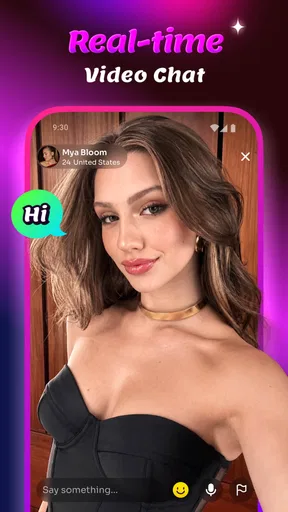
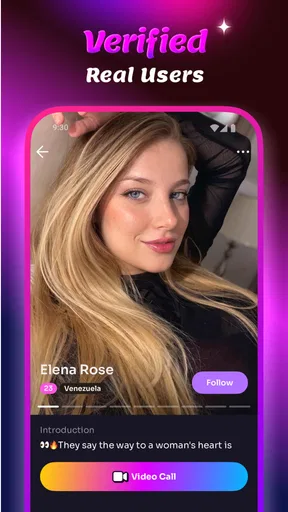
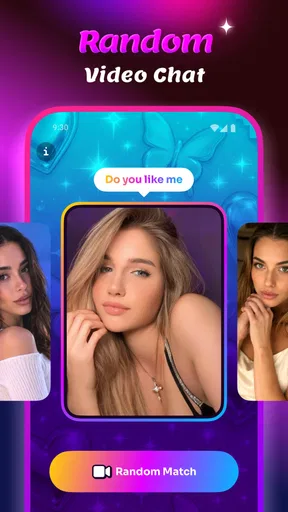
I approached Meno Pro as a social lifestyle app built around meeting people through video chat, rather than as a general-purpose messaging tool. Its central promise is simple: open the app, find new friends, and talk face to face. That focus can feel more personal than scrolling through profiles or exchanging short text messages, but it also means trust matters much more than it does in an ordinary social feed. A live conversation gives you less time to think before sharing something, so the quality of your choices and boundaries becomes part of the experience.
My overall impression is that Meno Pro is most interesting for adults who genuinely prefer spontaneous video conversations. It is free to install, falls under the lifestyle category, and is marked for mature users aged 17 and above. The app is developed by SOMEET TECHNOLOGY LIMITED, and its current version is 1.1.0. Those details place it in a familiar space: easy to try, socially direct, and aimed at people who are comfortable interacting with strangers rather than only contacting people they already know.
The app has an average rating of 4.4 from around 119 ratings, with over 10K installs. That gives a potential user some early context, although it is still a relatively small public footprint compared with long-established social platforms. I would therefore treat the rating as an encouraging first signal, not as proof that every conversation will be comfortable or that the service will suit every personality.
What using Meno Pro feels like in practice
The most important difference between this app and conventional social networks is the role of video. In a text-based app, you can pause, edit a message, or leave a conversation open for later. Here, the appeal comes from immediacy. A short exchange can quickly reveal whether two people have anything in common, and that can be refreshing when online socializing has started to feel repetitive or overly curated.
I can see the app working well in an everyday situation such as a quiet evening when you want light conversation but do not want to commit to a long group chat. You might open it after work, try a few conversations, and leave once you have had enough interaction. That low-commitment pattern is more natural for Meno Pro than using it to maintain deep, ongoing friendships from the beginning.
There is also a useful trade-off here. Video can make a new connection feel more genuine because facial expressions and tone carry information that text removes. At the same time, it exposes more of you immediately. Your surroundings, appearance, voice, and reactions can all become part of the first impression. I would recommend treating the camera as a deliberate choice rather than something to enable automatically whenever a conversation begins.
Compared with a standard messaging app, Meno Pro is less convenient for carefully planned communication. Compared with a large social network, it appears more focused on direct interaction instead of a broad stream of posts. Compared with dating-oriented services, its stated identity is about making new friends through video chat, so it may appeal to someone looking for casual social contact rather than a profile-heavy matching process.
Who is likely to enjoy it
The best fit is an adult who likes meeting unfamiliar people, can make quick decisions about comfort, and does not need every interaction to become a lasting connection. If you enjoy spontaneous conversation and find text introductions too slow, the video-first approach may feel more rewarding. It can also suit someone who wants a social activity that does not require organizing a group of existing friends.
I would be more cautious if you dislike being on camera, need strong control over who can contact you, or prefer conversations that develop gradually. People who are easily pressured by strangers should not feel obligated to continue a call simply because it has started. The mature age label is important context, but it does not remove the need for personal judgment when interacting with unknown users.
The app is also not the right substitute for a private messenger when you already know exactly whom you want to contact. A familiar messaging service will usually be the simpler choice for planned conversations, sharing personal updates with trusted contacts, or keeping a reliable record of a discussion. Meno Pro’s value is in discovery and live interaction, not in replacing every form of communication.
Trust begins with the choices you can see
For an app centered on conversations with new people, I judge trust less by its friendly presentation and more by the controls visible during actual use. Before joining a call, I would look for clear choices around camera access, microphone access, ending a conversation, and handling an interaction that becomes uncomfortable. These are not minor details. They determine whether the service supports the user when a social exchange stops feeling welcome.
I also pay attention to whether the app lets me make decisions at my own pace. A good video-chat experience should not make the fastest response the only practical response. I want to know when I am about to share my camera or voice, and I want leaving to be straightforward. If a screen makes continuing feel easier than stopping, that is a meaningful weakness even when the conversation itself is pleasant.
Because Meno Pro is free to install, I would also separate basic access from any optional spending. The app includes in-app purchases ranging from $4.99 to $99.99 per item. That is a broad range, so I would not treat every paid option as equally minor. Before confirming a purchase, I would check exactly what it unlocks, whether it affects visibility or interaction, and whether the benefit is genuinely useful for the way I plan to use the app.
My practical advice is to use the free experience first and postpone spending until the app’s rhythm makes sense to you. Do not buy something simply because a conversation is going well or because a screen creates urgency. In a social app, an optional purchase should improve convenience, not become a condition for feeling accepted or heard.
Privacy-sensitive moments deserve extra attention
Video chat creates several moments where a user can reveal more than intended. The obvious example is the camera, but the background can matter just as much. A room may show a workplace, school material, family photos, documents, or details about where you live. I recommend choosing a neutral setting and checking the frame before starting a conversation, especially during the first few calls.
Audio has similar risks. A microphone can capture other people nearby, private conversations, or information you did not realize was audible. When I use a live social service, I prefer headphones where practical and mute the microphone whenever I am not speaking. That habit is useful even when the other person seems friendly because trust should develop over time rather than be assumed from a pleasant first exchange.
Another sensitive moment comes when a new contact asks to move elsewhere. Someone may request a phone number, another social account, a home city, workplace details, or a personal photo. None of those requests deserves an automatic yes. I would keep early conversations inside the app’s intended setting and share only information I would be comfortable making public to a stranger. If someone becomes impatient about that boundary, I would end the interaction.
I would also avoid treating a live video call as proof of identity. Seeing a face does not establish that a person is honest, safe, or who they claim to be. A cautious user should watch for pressure, inconsistent stories, requests for money, attempts to obtain private images, or demands to keep the conversation secret. The correct response is to stop engaging rather than trying to win an argument.
Account control and personal agency
The strongest way to use Meno Pro is to decide your boundaries before opening a conversation. I would set a simple rule for myself: no personal contact details during the first interaction, no financial help, and no sharing of private images. I would also decide how long I am willing to stay in a call. Having those limits in mind makes it easier to act when a conversation changes direction.
If the app presents controls for ending, blocking, or reporting an interaction, I would use them without hesitation when necessary. A social platform should be judged by whether users can leave an unwanted exchange, not only by how easily it starts one. I would take a few minutes during initial setup to inspect every visible account and safety option, rather than waiting until a problem occurs.
Notifications deserve deliberate handling as well. Frequent prompts can pull you back into conversations when you are busy, tired, or less alert. I prefer allowing social apps to fit around my schedule instead of letting them set it. Turning off unnecessary alerts, or using the app only during a planned window, can reduce impulsive replies and make the experience feel more controlled.
The mature rating also means I would not treat the app as suitable for younger users simply because the interface may look approachable. Adults should be mindful of who is present, what they share, and how they manage contact. Parents looking for a supervised communication tool should choose a service designed specifically for that purpose rather than assuming a general video-chat app provides the same safeguards.
Small habits that make the experience better
One useful workflow is to begin with audio or a limited camera view, if the available controls allow that choice, and only reveal more when you feel comfortable. This preserves some control during the first moments of an unfamiliar conversation. I would also keep the first exchange short and use it to assess behavior rather than trying to create instant closeness.
A second practical habit is to review your surroundings before every call, not only the first one. People often move between rooms or use the app in public places, and a previously safe setup may no longer be private. A plain wall and neutral lighting are usually better than showing a recognizable location. This is a small adjustment, but it reduces accidental disclosure without making the conversation difficult.
A third is to evaluate the quality of an interaction by how the other person responds to boundaries. Friendly conversation is not enough. Someone who accepts a delayed reply, respects a refusal, and allows you to end naturally gives you more useful information than someone who is merely enthusiastic. That makes the app’s social value depend partly on your ability to observe behavior, not just on the number of people you meet.
Finally, I would keep spending separate from social approval. Paid items can be tempting when they appear alongside a promising connection, but a purchase should never be used to secure attention or prove interest. Try the app as a free user first, understand what you actually need, and set a personal spending limit before exploring optional purchases.
Performance expectations and the current stage of the app
Meno Pro runs on devices using Android 7.0 or later, which makes it accessible to many older Android phones as well as newer models. Video quality still depends on the device, camera, microphone, and network conditions, so I would test it in a stable connection before judging the service from one poor call. A weak signal can make any live conversation feel awkward, even when the app itself is functioning normally.
The version available is 1.1.0, which suggests a product that is still relatively early in its development. I would approach that positively but realistically. Early versions can feel focused and uncluttered, yet they may also change quickly as the developer responds to user feedback. I would keep the app updated and revisit its visible account, purchase, and safety controls after major changes instead of assuming the experience will remain identical.
The small number of public reviews means personal experiences may vary widely. That is another reason to spend time testing the basics before investing money or emotional energy. A few short conversations can tell you more about whether the pace, audience, and controls suit you than the store rating alone.
My cautious verdict
I find Meno Pro appealing as a focused way to try spontaneous video conversations with new friends. Its strength is directness: it removes much of the delay between discovering someone and actually speaking with them. For the right user, that can feel more human than endless profile browsing or fragmented text exchanges.
Still, the same directness creates the app’s main limitation. Video chat increases exposure, and the quality of the experience depends heavily on how well users manage boundaries. I would not recommend it to someone seeking a tightly controlled private messenger, a fully supervised youth platform, or a guaranteed path to meaningful long-term friendships.
For adults who are comfortable meeting strangers, I think it is worth trying without rushing into purchases. Start with the free experience, keep your background and personal details private, inspect the available account controls, and leave any conversation that becomes pressuring. The app’s 4.4 average is encouraging, but my recommendation is ultimately conditional: use Meno Pro as a casual social doorway, not as a reason to lower your usual standards for privacy and trust.
That balance is what makes the service worthwhile. It can add a little spontaneity to an otherwise ordinary evening, but it works best when the user remains in charge of the camera, the conversation, the information shared, and the money spent. If those choices feel comfortable to you, Meno Pro offers a clear and approachable experiment in live online friendship. If they do not, a slower, contact-based alternative will probably be the better fit.
Verdict
Strengths of Meno Pro
- Simple interface makes daily expense tracking quick and approachable.
- Useful spending insights can help identify recurring financial habits.
- Budget planning features support better control over monthly expenses.
- Expense records can make personal finance reviews more organized.
- Suitable for users seeking a focused money-management tool.
Limitations of Meno Pro
- Some advanced features may require a paid subscription.
- Manual entry can become time-consuming for frequent transactions.
- Limited bank integration may reduce automatic expense tracking.
- New users may need time to understand all budgeting options.
- Data backup and synchronization options may vary by platform.
Similar Picks in This Category
View All
SmartThings
Samsung Electronics Co., Ltd.4.6

Google Home
Google LLC4.0

Pinterest4.2

Astrotalk - Talk to Astrologer
Astrology & Horoscope4.7

My Verizon
Verizon Consumer Group4.5

Samsung Wallet (Samsung Pay)
Samsung Electronics Co., Ltd.4.1
Frequently Asked Questions
What is Meno Pro and who is it designed for?
Meno Pro is a menopause-focused health and wellness app designed to help users understand and manage common symptoms such as hot flashes, night sweats, sleep difficulties, mood changes, and irregular cycles. It generally combines symptom tracking, educational resources, lifestyle guidance, and personalized insights. It may be useful for people in perimenopause, menopause, or postmenopause, although the available tools and content can vary by platform and subscription level.
What features can I expect from Meno Pro?
After exploring Meno Pro, the main value comes from its structured approach to monitoring symptoms and learning about menopause-related changes. Users may be able to record daily symptoms, track patterns over time, review educational information, and receive recommendations related to sleep, nutrition, exercise, stress, or general wellbeing. The app is most helpful when entries are made consistently, since occasional use may not provide enough information to identify meaningful trends.
Is Meno Pro a replacement for medical advice or treatment?
No. Meno Pro should be considered a self-management and information tool rather than a substitute for a doctor, gynecologist, or other qualified healthcare professional. Its tracking features can help you prepare for appointments and describe symptoms more clearly, but they cannot diagnose medical conditions or determine the right treatment. Seek professional advice for severe, unusual, or persistent symptoms, and obtain urgent care for serious or unexpected changes.
Is Meno Pro free to download, and does it require a subscription?
Meno Pro may be available to download at no initial cost, but some features, content, or personalized programs can require an in-app purchase or recurring subscription. Before starting a trial, check the current pricing, renewal terms, and cancellation instructions shown in the Google Play Store or Apple App Store. Also review whether the free version includes enough tracking and educational tools for your needs before entering payment details.
How does Meno Pro handle personal health and symptom data?
Because Meno Pro can involve sensitive information about symptoms, cycles, lifestyle, and wellbeing, privacy should be reviewed before creating an account. Read the app’s privacy policy to understand what data is collected, why it is used, whether it is shared with service providers, and how long it is retained. Use a strong password, keep the app updated, and avoid entering information you are not comfortable storing digitally.
